GitHub & PR inbox
Connect GitHub, track a PR's checks and reviews from the sidebar, merge without leaving Skein, and triage everything awaiting your review.
GitHub is optional — a domain works fine with no account connected. Terminals
spawned in an accountless domain simply skip the GH_TOKEN / GITHUB_TOKEN /
SKEIN_GH_LOGIN environment variables described in Scripts →
Environment variables.
Connect a GitHub account
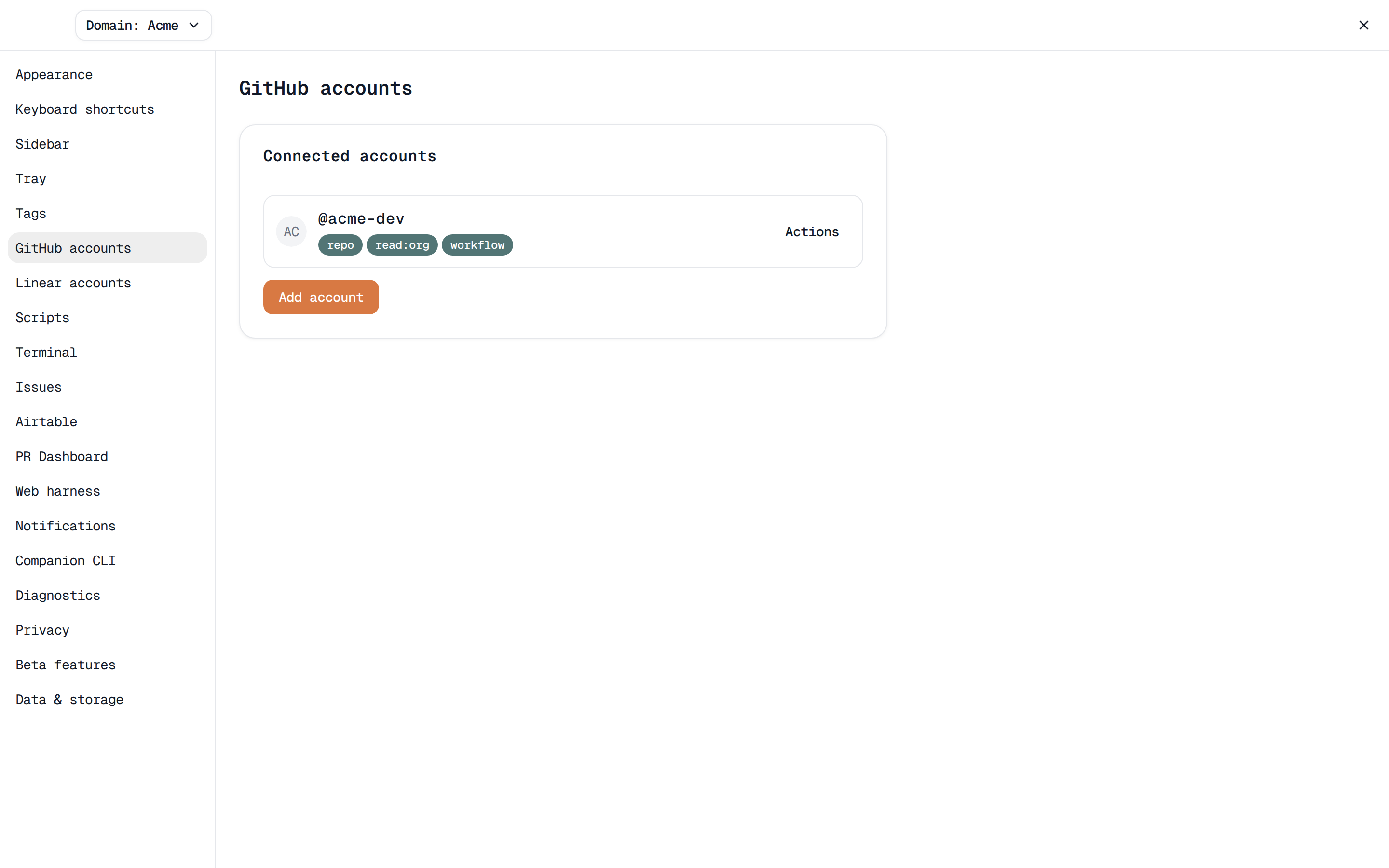
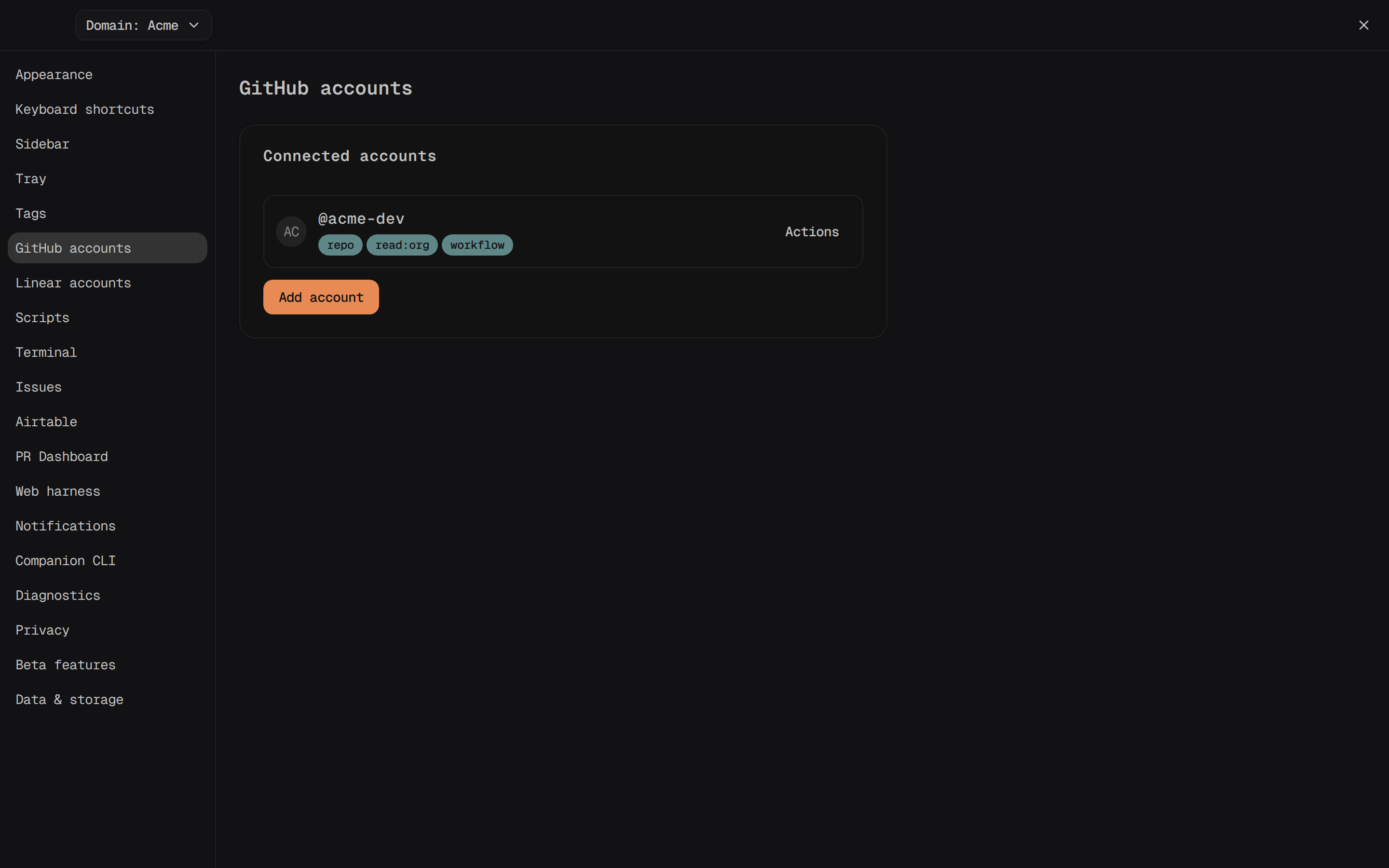
Open Settings → GitHub accounts and click Add account. The dialog's
Additional scopes field lets you tag on extra OAuth scopes before you
start — required scopes (repo, read:user, workflow) are always included
and can't be removed. Click Request authorization code to get a one-time
code; click Copy to copy it, then Open GitHub to open the
device-flow page in your browser and approve it there. The dialog closes
itself once GitHub confirms.
Each connected account renders as a row with its scopes as badges. Its Actions menu has Test connection, Edit scopes, Re-authorize, and Remove. A token that's stopped working shows a Needs reauth badge plus a shortcut Re-authorize button next to Actions. Remove revokes the token on GitHub and deletes the local record — if a domain still references the account, the confirmation dialog lists the blocking domain(s) and disables Remove until you retarget them.
A domain picks its own account from its settings page (open the domain
switcher and choose Domain settings): the GitHub account field
defaults to None (not connected), or any connected account by @login.
Once a domain has an account, a Reviews link appears in its sidebar
section (/domains/<id>/reviews) — every open PR across the domain's
projects where you're a requested reviewer, with a refresh button and a
count ("N pull request(s) waiting on you"). Selecting one opens the matching
workspace, creating it first if none exists yet. Without an account, that
page reads "Connect a GitHub account in domain settings to see review
requests." instead.
See a workspace's PR
Once a workspace's branch has an open PR, its sidebar row shows a color-coded pill with the PR number (e.g. "⎇ #482") — green while checks pass, red once one fails, amber while checks are still running, slate if the PR has no checks at all, and violet or muted once it's merged or closed.
Open the workspace and click its Review tab (next to Diffs, Files, and Issue in the right-hand panel — toggle that panel with the button in the breadcrumb). With no PR yet, it reads "No pull request for this branch." and, once the branch is pushed, an Open PR on GitHub link. With an open PR, the header line reads "PR #<number> — <title>" together with a checks summary like "2/3 checks passing · updated 5 min ago" and a refresh button. Each check run below lists its name and status, and a failing check gets a Copy context button — it copies a Markdown block with the PR title and link, the branch and short commit SHA, the failing check's name and conclusion, and its log tail (or annotations, when GitHub provides them) — handy for pasting straight into a chat pane.
Review comments
Still on the Review tab: a strip of reviewer avatars sits under the checks, one per reviewer showing their latest non-pending state — approved, requested changes, commented, or dismissed. Review threads render below that, grouped by file path ("General" first, for PR-level comments with no file, then alphabetically), oldest thread first within each group. A thread GitHub has marked resolved gets an outline resolved badge and dims; one marked outdated gets outdated instead (outdated wins if a thread is both). Each thread ends with a View on GitHub link straight to that comment. With nothing to show yet, it reads "No review comments yet."
Skein tags a workspace PR Comments the moment someone else adds a comment or review to its PR in a thread that isn't already resolved or outdated — comments and reviews you authored yourself never count. Opening the workspace's Review tab clears the tag, and the "already seen" marker persists across restarts.
Merge from Skein
The Review tab (and the workspace's PR status card) shows a merge button once the PR is open and not a draft. With every check passing, it reads Squash and merge — Skein's default method — and merges immediately; GitHub applies the PR's title as the squash commit's subject. While checks are still running, the same button instead reads Squash and auto-merge and enables GitHub's native auto-merge, so the PR merges on its own the moment checks turn green. If a check is failing or GitHub reports the branch conflicts with its base, the button is disabled with an explanatory tooltip instead.
Click the chevron next to it to open Merge method and switch to Create a merge commit or Rebase and merge (a checkmark marks the current selection); the popover's footer shows the squash subject GitHub will use, or notes that non-squash methods default to GitHub's own commit-message rules.
If GitHub rejects the attempt, an inline message explains why — a stale
head SHA ("New commits landed since checks were last fetched. Refresh and
try again."), an unmergeable PR, rate limiting, or a token that's lost the
repo scope (with a Re-authenticate link back to Settings → GitHub
accounts) — dismiss it with the message's Dismiss button and try again.
On success, a toast reads "Merged." with a Clean up worktree action that
archives the workspace for you.
PR Inbox
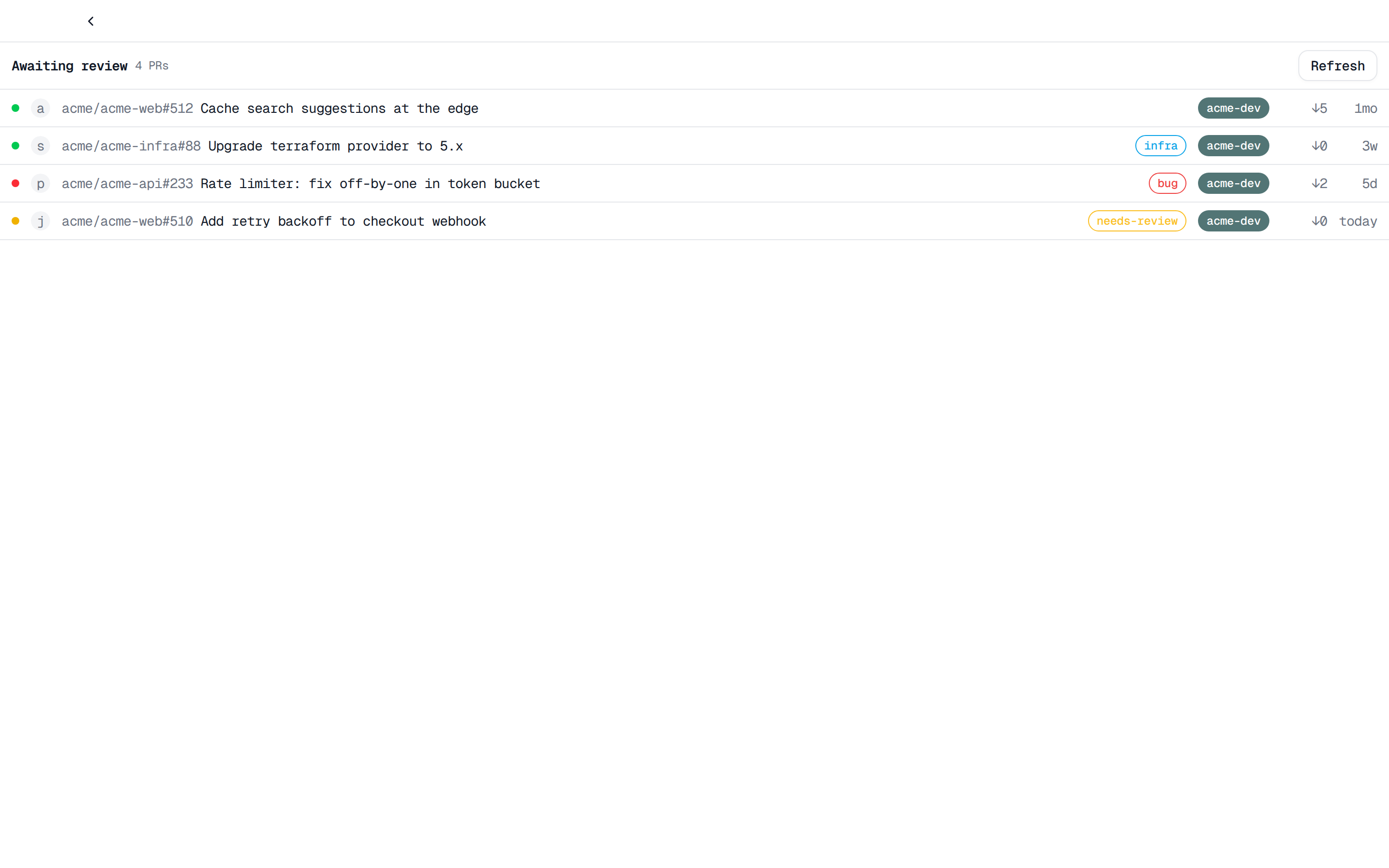
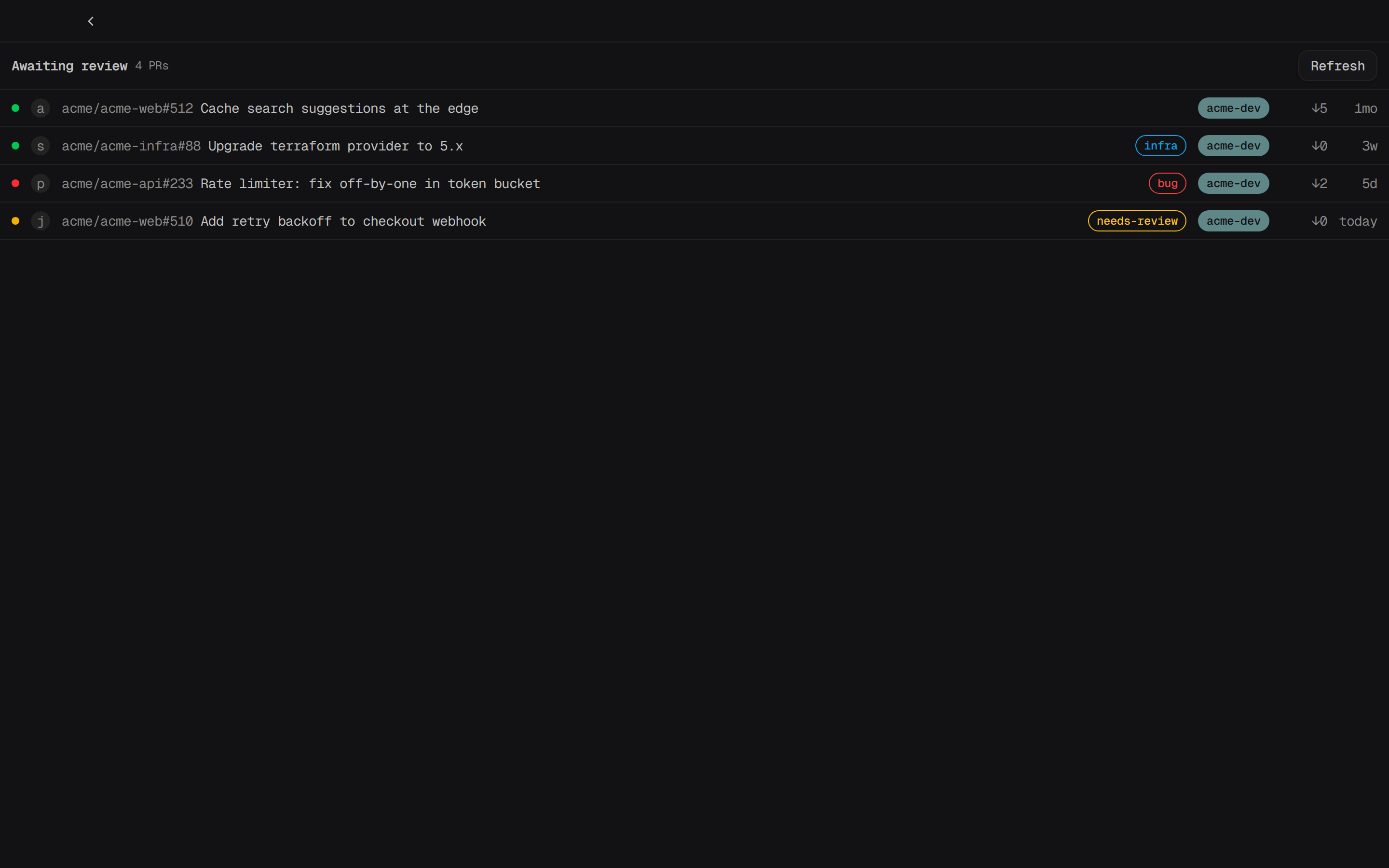
The Awaiting review entry near the top of the sidebar (next to Command
Center) opens /pr-inbox — every open PR, across every connected domain,
matching your PR Dashboard query, oldest-updated first. Each row shows a
CI-status dot, the author's avatar, owner/repo#number and title, a draft
badge when applicable, up to four labels, a domain badge, how many commits
it's behind its base, and its age; the CI dot and behind-by count hydrate
lazily as a row scrolls into view. When more than one domain has results, a
row of chips (All plus one per domain) filters the list. Click a row to
open the PR on GitHub; click Refresh to re-fetch on demand — the
dashboard doesn't poll continuously on its own. With nothing matching, it
reads "No PRs awaiting your review. Check your query in Settings → PR
Dashboard, or your token scopes."
The query itself lives in Settings → PR Dashboard: a Global query
field (default is:pr is:open user-review-requested:@me; is:pr is always
enforced even if you edit it out) with Preview count and Save
buttons. Both a domain (Domain settings → PR dashboard query
override) and an individual project (Project settings → PR dashboard
query override, automatically scoped to that project's repo) can override
it — most specific wins: project, then domain, then global — and each falls
back to the next level whenever it's left blank.